

Create a Vlogmas Intro Cartoon with a warm, hand-drawn holiday feel
Create your Vlogmas Intro Cartoon
Watch a short motion study
History
Loading history…
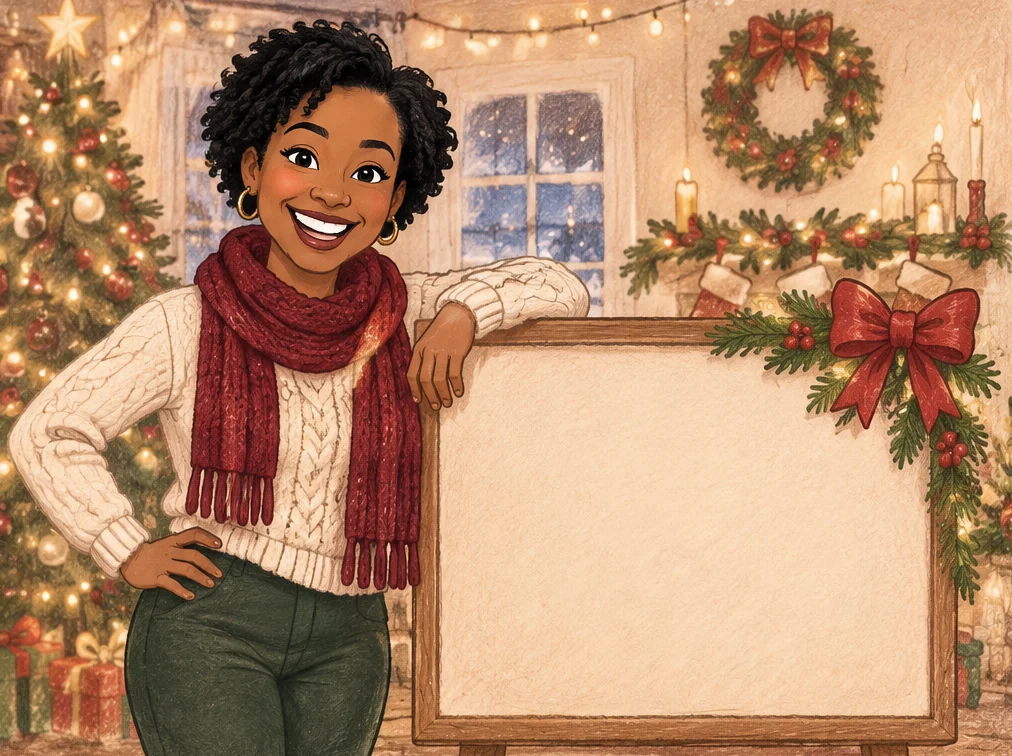
A Vlogmas Intro Cartoon turns one clear photo of your vlog host into a chalky pastel holiday opener: the host walks into a cozy Christmas room, waves, then pauses beside a blank sign board. Upload exactly one host photo, review or edit the pre-filled effect prompt, and start the 15-second video in Higgfield’s generator.

Create your holiday opener
- Choose one clear photo of the adult host. Use a well-lit image where the face is easy to see.
- Upload the photo as @Image1. The generator requires exactly one photo.
- Review the pre-filled effect prompt and edit it if you like. Keep the room cozy and the sign board blank if you do not need specific lettering.
- Check the live credit quote shown in the generator, then start the 15-second clip. Wait for the result; the queue can affect how long it takes.
From host photo to cartoon key frame
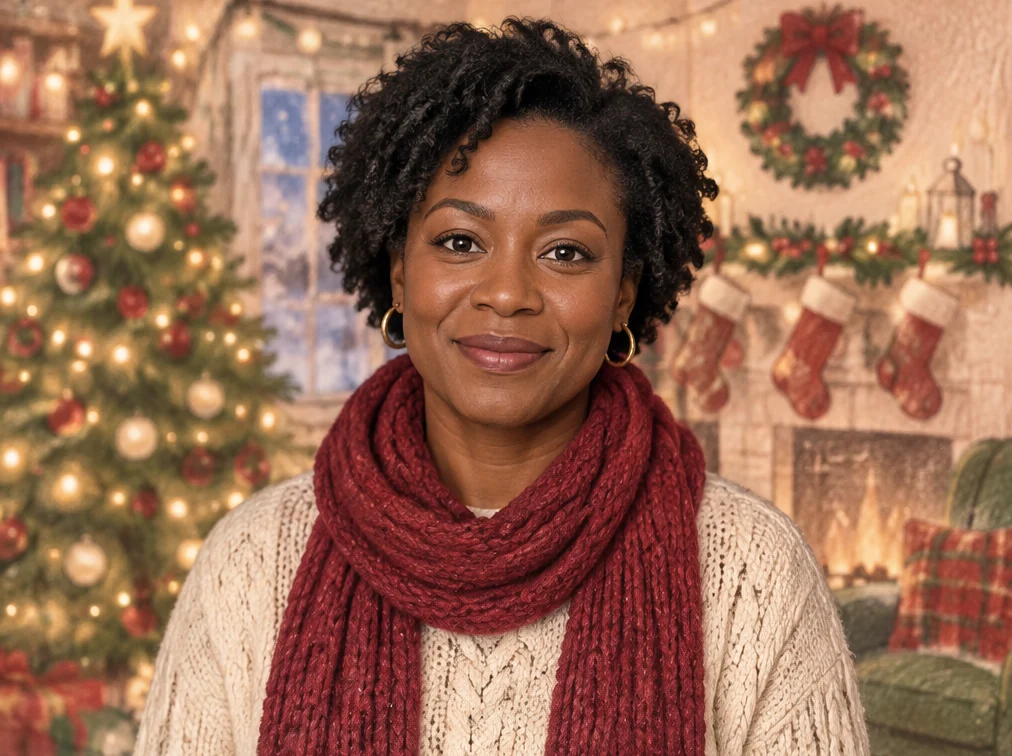

Make the holiday opener your own
- December episode opener Give a daily holiday vlog a familiar start with the host stepping into a warmly lit Christmas room.
- Seasonal channel greeting Use the cartoon wave as a cheerful hello before the host moves into the day’s update.
- Blank-sign transition Pause beside the empty holiday board, then add your own title or episode detail in a separate edit.
Give it a final look
- Confirm the host’s face and recognizable features remain clear through the cartoon treatment.
- Check that the entrance, wave and pause beside the sign board read naturally in the vertical-friendly framing.
- Make sure the holiday sign stays blank if you need to add lettering separately; exact lettering is not promised.
Common questions
What is a Vlogmas Intro Cartoon?
It is a short holiday vlog opener that turns one host photo into a hand-drawn cartoon scene, with the host walking into a cozy Christmas room, waving and pausing beside a blank holiday sign.
Can I try it free?
Check the live credit quote in the generator before starting and visit the pricing page for current plan details. No credit amount or free allowance is assumed here.
What do I need to upload or type?
Upload exactly one clear photo of the host as @Image1. The effect prompt is pre-filled and can be edited; you do not need to type exact sign lettering.
How long does it take?
The generator creates a clip up to 15 seconds. Results usually take a short wait, which depends on queue load.
What photo works best for a Vlogmas Intro Cartoon?
Choose a clear, well-lit photo with the host’s face unobstructed and easy to recognize. A straightforward portrait gives the cartoon transformation a clear reference.
Explore more video guides
higgfield.cc · Updated
See update history
- — Added a guide to creating a 15-second, chalky pastel Vlogmas cartoon opener from one host photo.